
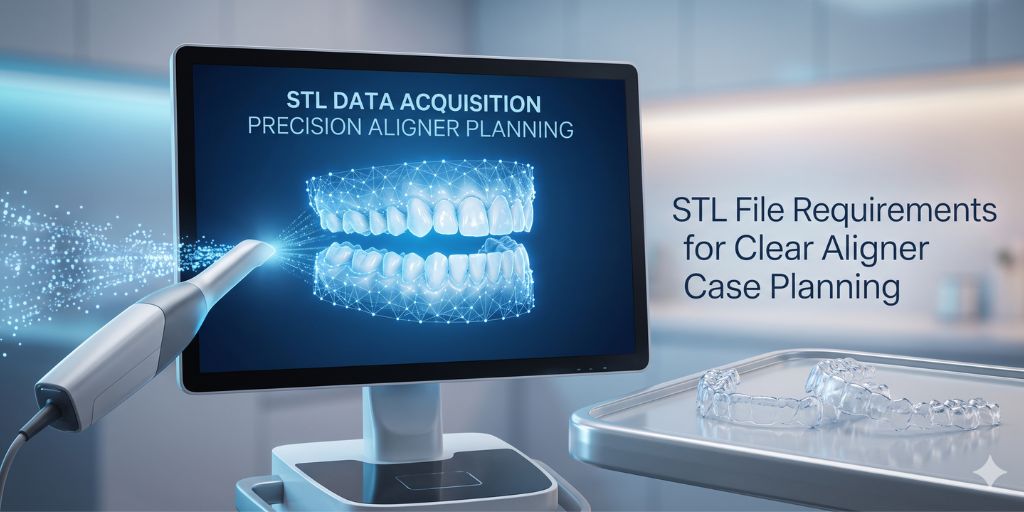
STL files are the foundation of modern clear aligner treatment planning. Every movement simulated in 3D orthodontics depends on the accuracy of these digital impressions. If the STL file is distorted, incomplete, or noisy, the entire treatment plan becomes unreliable.
The mistake many patients make is assuming every problem means treatment is failing, or worse, assuming every problem will fix itself if they ignore it. Neither approach is smart. The better approach is to understand which aligner issues are common, what usually causes them, and when they can be handled with simple changes versus when they need professional review.
In clear aligner workflows, STL files act as the digital patient model, replacing physical impressions. This means that even small errors can lead to:
- Incorrect tooth staging
- Poor aligner fit
- Increased refinements
- Treatment delays
Understanding STL requirements is essential for clinics aiming to achieve predictable orthodontic outcomes.
What is an STL File in Orthodontics?
An STL (Standard Triangle Language) file is a 3D digital representation of dental anatomy captured via intraoral scanning or desktop laboratory scanning.
In clear aligner therapy, a complete patient record requires three distinct STL components:
- Maxillary Arch (Upper)
- Mandibular Arch (Lower)
- Bite Relationship (Interocclusal record)
These files are imported into specialized orthodontic planning software to design precise tooth movements, optimize attachment placement, map out aligner stages, and calculate the final ideal occlusion.
Why STL Quality Matters in Clear Aligner Planning
Unlike restorative dentistry, where a scan often focuses on a single tooth preparation, orthodontics depends on progressive, multi-tooth movement simulation. The STL file is not just a static snapshot; it is the starting point of a complex dynamic system.
When you submit a sub-par STL file, it triggers a chain reaction of software and clinical errors:
- Incorrect Tooth Segmentation: If the interproximal edges between teeth are unclear or blurry, the software cannot accurately identify tooth boundaries, leading to faulty movement calculation.
- Inaccurate Occlusion Mapping: Bite alignment errors distort final alignment predictions, frequently resulting in posterior open bites post-treatment.
- Attachment Misplacement: Digital attachments are engineered based on surface topology. A deviation of even $0.5\text{ mm}$ can completely alter the force direction, causing teeth to dump instead of translate.
- Unnecessary Refinement Cycles: Data shows that a vast majority of mid-course refinements originate from initial scanning errors, not unpredictable biology.
Ideal STL File Requirements & Standards
To ensure accurate treatment planning and flawless aligner manufacturing, your STL files must meet the following technical standards:
1. Full Arch Capture
The entire dental arch must be scanned with zero missing data. This means capturing all distal molars and full incisal edges. Partial or dropped scans reduce simulation accuracy by 20% to 40%.
2. High Surface Resolution
The digital mesh must clearly define:
- Deep occlusal grooves and anatomy.
- Interproximal contact points.
- Sharp gingival margins (critical for aligner trim lines).
Note: Low-resolution scans lead to inaccurate staging of complex movements like rotations and root torque.
3. Clean, Validated Bite Registration
A stable, verified maximum intercuspation (MIP) bite is required for midline alignment, crossbite correction, and vertical dimension planning. If the bite registration is unstable or skewed, the software will generate unrealistic aligner forces.
4. Zero Noise or Artifacts
Common scanning artifacts must be eliminated before exporting. Ensure the file is free of:
- Floating mesh fragments (stray cheek/tongue data).
- Gum distortion caused by excessive pressure.
- Double surfaces or overlapping data layers.
5. Proper Separation of Upper and Lower Models
Upper and lower STL files must be exported as separate, individually complete files that are correctly oriented in 3D space to match the bite registration.
Common STL Errors That Cause Treatment Failures
Even seasoned clinical teams can run into scanning hiccups. However, letting these five common errors slip through to your design team will directly compromise your clinical outcomes:
- Incomplete Posterior Capture: This usually happens when the scan is cut short at the second molars. Without these critical terminal points, the planning software cannot accurately map molar positioning, frequently leading to a total loss of anchorage.
- Over-Compressed Soft Tissue: Pushing too hard against the gingiva with the scanner tip distorts the natural anatomy. This causes the software to make false tooth-width estimations, resulting in aligners that feel incredibly tight and painful for the patient.
- Stitching Errors in Scan Data: Moving the scanner too quickly causes the software to lose tracking and try to “guess” how the images fit together. This creates warped tooth geometry and distorted surfaces that ruin aligner tracking.
- Poor Scanner Calibration: Neglecting routine hardware maintenance leads to scaling inaccuracies. The software thinks the teeth are perfectly shaped, but the digital model is physically larger or smaller than the patient’s actual mouth, ensuring the aligners won’t fit.
The Clinical and Economic Impact of Scan Quality
Investing an extra 60 seconds into a high-quality scan pays massive dividends across your entire workflow:
- Predictability of Movement: Better STL data equals highly accurate staging predictions that track flawlessly in the chair.
- Optimized Biomechanics: Engineered attachments seat exactly where they are intended, delivering the correct force vectors.
- Reduced Treatment Duration: High-quality initial scans vastly reduce the need for mid-course corrections, getting patients to their final results faster.
- Enhanced Cost Efficiency: Minimizing revisions and aligner remakes significantly lowers your lab bills and frees up valuable chair time.
Best Practices for Clinics
To ensure high-quality, “first-time right” STL submissions, implement these protocols in your clinical workflow:
- Calibrate Routinely: Calibrate your intraoral scanner weekly (or per manufacturer guidelines) to prevent scaling drift.
- Maintain a Dry Field: Use cheek retractors and air-dry the teeth. Saliva causes light refraction, which creates digital “noise” and artifacts.
- Check Before Patient Dismissal: Always inspect the 3D rendering on your scanner screen before the patient leaves the chair. Look closely at the distal molars and interproximal spaces.
- Validate the Bite Digitally: Ensure the contact points shown on the scanner’s color-coded bite map match what you see clinically in the patient’s mouth.
How STL Quality Connects to Outsourced Planning
In outsourced orthodontic planning systems (such as TheSmileCorrect workflow), STL quality directly dictates your efficiency.
High-quality STL files enable lightning-fast 8-hour planning workflows, allowing you to approve cases and start manufacturing almost immediately. Conversely, poor-quality files trigger immediate rejections, endless revision cycles, and manufacturing delays that frustrate your patients.
Final Thoughts
STL files are far more than just digital alternatives to alginate; they are the literal foundation of orthodontic decision-making. Clinics that prioritize scan quality at the chairside achieve faster treatment design, fewer refinements, and highly predictable clinical outcomes. In modern clear aligner systems, your STL quality is directly proportional to your clinical success.